Happy Memorial Day

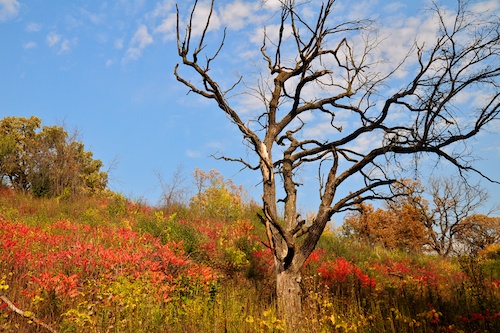
From the Archives: I thought this might be a better Memorial Day photo. I hope that many of you are having a good holiday. I realize that for others who have family serving, or have lost family this day is very different. Our hats are off to you.

PS. Kate calls this “The Big Faces”. She loved going here. Next on her list: the statue of liberty.

Seattle Skyline

This is one from the archives. It has nothing to do with Memorial Day, other than the sky looks like this here right now.

I just like this picture. Nothing special, plain sky, skyline almost centered, but somehow I like it. I still think your eye travels around the image, from the down town to the Space Needle, to the little red boat in the middle (that would be easier to see without my signature in the way!).

Pictures from the Zoo

I had intended to get to the zoo early, so see what kind of light I could get. I had Lily in the car and ready to go when I decided I should check the website for hours. Didn’t open till 9:00. We had over an hour to wait before we could go.

Oh well. At this time of year, the sun has been up for several hours at 9:00. The best light I got was probably this guy. He was in shade, but I had to shoot through glass. It doesn’t look that bad at this size. The water is really green, and a pain to color balance!

Prairie dog babies are just too cute.

Lily was practically crying, begging me to get going. Then the mother came out to join them.

Man, I rattled off a ton of pics of these guys. Lots of great brown on brown images 🙂

Then we walked up to the farm section. Lots of goats that you could feed. Lily was a little unsure about doing that. I bought her some food, and she just threw it them. Wish I had a picture of that.

These guys were laughing about it. Maybe because it is hard to tell the difference between food pellets and the other kind of goat pellets when they are on the ground.

What trip to the zoo wouldn’t be complete with out ice cream? Problem was, I promised it to her an hour before we finally got it. We passed five closed vendors where I thought we would be able to get it. Weekday morning might be good for avoiding crowds, but then you also can’t easily get ice cream.

Hierarchical Criteria in a Lightroom Smart Collection

So here is the issue. I want to create a smart collection in Lightroom where I get all the photos from another collection that have either of two keywords. For a recent shoot, after pulling all the rejects, I created a collection of these images that spans a couple of days. The was a gymnastics event that my kids happened to be in. They were only a small part of the 3000 images that I took, but they were in specific sections of the show, so I found them and keyworded them. Now, how to create a smart collection of these images.

Well, that didn’t work. Notice the drop down for “Match”. If you set it to “any” then you get all images from the Spring Show collection. If you set it to “all”, the images have to have both Kate and Lily tags. I was stumped. Then I found that there is a little trick. Press and hold the Option/Alt key. Notice that the plus signs next to the rules turn into a hash sign. Now when you press that hash sign, you get to define rules that operate independent of the first Match drop down.

Now we get what we want. We first match on the “Spring Show” collection, then we match if either of the keywords belong to an image.

You could use this any number of ways.

Just Swinging Around

Truth be told, I have hundreds of images of my kids on swings sitting on my hard drive. But most of them don’t really have any sense of movement or height. This time I was going for height.

I went with a wide’ish angle lens (18 is all I have right now) and got as close as I could without fear of getting hit. I gave her a big push, and then ran over to snap some pictures.

Cardinal in Front of my House

This Cardinal keeps showing up in a tree near the road, right out our front window. I have been trying to catch this shot for a couple of days. I never seem to have my long lens on or ready.

The one time I was ready, I went out the front door, and the bird got spooked, and flew away. Then I got another idea. I removed a screen from one of the front windows, and had my lens at the ready. And then, when the kids yelled “He’s Back!”, I went over, slid the window open, and took this shot.

What is your Primary Lens for Shooting Landscapes?

I got an email the other day asking about lenses I use for landscape photos. I appreciate that someone thought my opinion would be valuable, so I started to send a response, but then thought I might as well respond via a new post. Here is the actual question so we are all on the same page:

I noticed you posted your equipment list on your website and I’m hoping you can provide me with a little advice.  I recently purchased my fist DSLR (Canon Rebel Xsi) and use it primarily to photograph my 2-year old son.  The only lense I have is the kit lense that came with the camera (which is a Canon EF-S 18-55mm f/3.5-5.6).

You take great photos and I really like the landscape photos in your Portfolio (http://www.cyberward.net/photography/).  We spend a lot of time outdoors so, if you don’t mind, what is your primary lense for shooting landscapes?  I’m looking for big, bright colors and crisp, clean images.

First of all, thanks Thomas for the compliment, and congrats on getting a Digital Rebel, so lets take a look at the two questions.

Now this may surprise you, but the bright colors and crisp, clean images can come from your camera. You don’t need another lens for that. The lens has very little to do with color. That has to do with the way your camera is set to convert the image to JPEG. I don’t have a Canon camera, but I am certain that there are picture settings of some sort like portrait, landscape, normal, vivid, etc. I am not talking about the ones on the top dials that modify the shutter and aperture, but settings that control how much color, contrast, and sharpening the camera does. I usually have mine set on vivid or landscape. Play around. Take one picture at each setting and see what you like.

If you don’t have the “Digital Photography Book” (vol 1, II, III) by Scott Kelby, you may want to check them out. Also see my books section.

The second part to this is post processing. Get to know iPhoto, Picasa, Lightroom, Photoshop (Elements), or what ever image editor you have access to. Play with your images. I usually bring up the blacks, maybe a little saturation or vibrancy, something that adds some contrast like clarity or definition, and probably some sharpening. I don’t go overboard, but a little can go a long way.

Again, check out my book section if you want some suggestions on books for image editing.

Ok, you mentioned sharpness. That’s a tough one, because there are so many variables. Your camera technique, your post production, the aperture you pick, and the lens all make a difference. There is more to it than just the lens. Each lens has an aperture sweet spot, and more expensive lenses have larger ones, but I don’t worry about it much. I pick the aperture I want, and let the pixel peepers worry which settings are the sharpest.

I shoot most of my landscapes and my kids with a 17-55 Nikkor. I moved up to it after owning a Tamron of similar focal length, and you can read about that here. Going to this lens over the kit lens gives me the ability to use larger apertures (f/2.8) and focus faster, which is important for kids, not so much for landscapes. I also use my 70-200mm VR Nikkor. I don’t have a wide angle lens, but it is likely the next on my list of things I would like to get. I have used some before, such as the 14-24 f/2.8 Nikkor on a D700 (wow!) and the 12-24 f/4 Nikkor on my D90. I really liked using them, but they take a different style of shooting to get good pictures from them.

I also wrote about the first gear, first lenses, and the first books you might buy in my first posts of this year.

Now, the gear that I wrote about here is Nikon, but Canon, Tamron, Sigma, Sony, etc. all have very similar products. What I suggest is that you rent a lens. We have a great store, West Photo in Minneapolis that rents lenses for a reasonable price.

I hope that answered your question. Fell free to leave comments if you have more questions.
More Portraits of Hanna’s Friends

I don’t tend to mess with my photos too much. I will tweak them a bit to get better color, but I don’t play with presets and such very much. But this photos seemed to ask for something else to me. I didn’t use another preset, I made it my self. I actually started with a black and white, but it didn’t pop quite how I wanted, so I gave this faded, sharpened look a try. This was all done in light room.

I think I will do a post in the future about how this was lit and processed, but that is for another day.

I saved the settings from the other image and made a preset, so I thought I would see what it would look like on some of the other images from the day. I can’t decide for sure how much I like it in this setting. It seems pretty cool, but maybe the regular color images worked also.

It works pretty well with this image I think, and I learned something from this shoot. I need a light on each person, especially when they are this far apart. I like the light on the left, but it was pretty much gone by the right side of the image. I am thinking two lights, both on the same side (left) but with one directed at the right side of the image.

Anyway, here are a couple of more images from that day. Let me know what you think in the comments.

All the images were processed almost the same, with my new ‘fade’ preset. I will get to some images that are in a more normal color in a day or two. Just thought I would play with this look, and these images would be good for that.